The printer must be able print yellow in order to execute the alignment. Part of the alignment process involves scanning printed yellow bars. See the web page below for a sample of the printout. I suggest that you clean the carriage and cartridge electrical contacts with a cotton swab moistened with water. If you still fail to get yellow, test the cartridge in another printer. Any Deskjet 900 series will accept the cartridge.
http://h20015.www2.hp.com/en/document.jhtml?lc=en&docName=bpu00657
Friday, May 1, 2009
HP Officejet K60 Alignment Failed /no yellow color

Thursday, April 30, 2009
Lexmark C910 981 Service Switch Error
I fixed 2 printers with this error msg. the first printer had a bad sensor board which had to be replaced. Second time around required a lot more TLC because I had to replaced the belt up/down clutch. 1 word for that repair... screws.....LOTS AND LOTS OF SCREWS! You've been warned.
three things can cause this error...
the error normally comes about when the machine hasnt sensed the ITU has been engaged properly, therefore error appears, later releases of firmware(few years ago now) altered the timeing of the mechanism to allow if a longer activation period and this did work some of the kinks out.
first thou the firmware, if you are getting the error all the time though it can be tricky to update on the fly... but can still be done.
next cause is usally because somebody tampers with the little white agitator at the front of machine. The is directly connected to the belt up down clutch, if moved by hand, the clutch will need to be replaced. big job, but not hard.
next is the itu. if the waste toner is full or the lifting mechansism on the ITU has become clagged with debris and toner which constricts movement of clutch, then the error can appear...
Wednesday, April 29, 2009
software reseter Canon iP1000
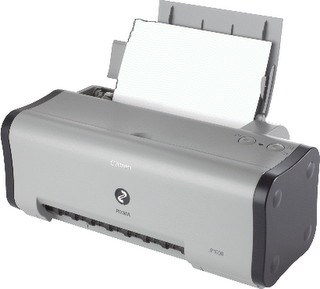 1. Unplug POWER and USB cables.
2. Open the printer door and compressive + HOLD the POWER button
3. Connect the POWER cable anymore
4. Close the door of the printer, remove the POWER button.
5. Turn on the printer as usual and should not blinking anymore already
Tuesday, April 28, 2009
Epson Aculaser smudged colours
I dont think it's anything to do with the plastic casing found on either side of the drum unit.
I ran a C1100 with both covers removed, and still had the smear problem.
I cured it by accident, as two metal rollers from beneath the transfer belt fell out when I was messing around. Thinking that I'd never get it all back together again, I messed about with the metal rods and belt for some time, until it all fitted together again.
When I re-tested it, the smearing problem had gone. I was pretty amazed, but pleased of course.
I think the problem could be excessive friction on the belt, caused by the two white nylon rollers located at each side. They press on the belt edges at a 45 degree angle, presumably to keep the belt central. I took these off in order to get it all back together again, and thats the only thing I could think off that could have an effect. I did refit them, and the smear problem was still absent.
Maybe anyone with this problem could try doing this and letting us know whether it worked.
Remove the 6 screws that hold the top cover on (the one with the handle). Then remove one screw from each side that holds the white nylon angled rollers in place.
Put the cover back on, and test to see if your smearing problem has been resolved.
Monday, April 27, 2009
Canon Pixma MP500
That is a line feed error (6000) It also should be flashing 3 times for this error on the on/off button.
This could be
1. Timing sensor unit QM2-2683
2. Timing slit disk film QC1-6229
3. Feed roller ass'y QL2-0925
4. Platten unit QM2-2923
5. Logic board ass'y QM2-3078
6. Paper feed motor QK1-1502
Subscribe to:
Posts (Atom)